 PulsePom
Start in two clicks
PulsePom's timer works the moment you open it. You don't need an email, a password or a download:
- Open pulsepom.io, or install PulsePom from Google Play or the Microsoft Store.
- Choose Continue without an account on the sign-in screen. The Timer opens.
- Pick Pomodoro, choose a subject and press Start.
What you do is saved on your device: your sessions, subjects, stats, tasks and habits. If you sign in later, free, everything moves into your account, so nothing is lost.
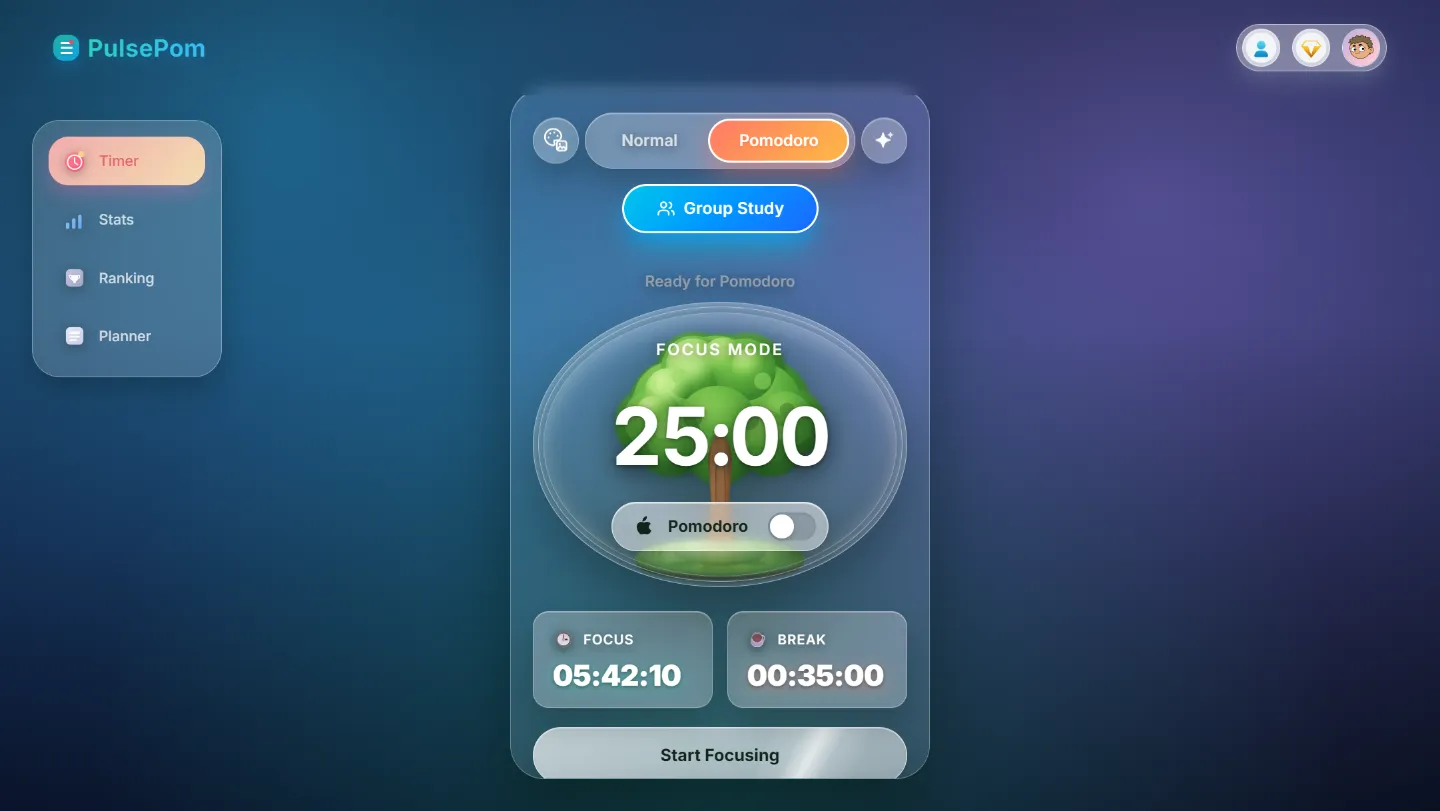
How the Pomodoro timer works
A Pomodoro is one block of focused work followed by a short break. PulsePom starts with the classic settings and lets you change every one of them in Pomodoro Settings:
| Setting | PulsePom starts at | You can set |
|---|---|---|
| Focus | 25 minutes | Any length |
| Short break | 5 minutes | Any length |
| Long break | 15 minutes | Any length |
| Long break after | 4 focus sessions | 2 or more |
The next break and the next focus session start by themselves, unless you turn that off. An alarm plays at the end of each phase, and in a browser the countdown shows in the tab's title, so you can see it from another tab.
Prefer to work until you're done? Switch to the Normal timer, which counts up like a stopwatch, or counts down when a task has a target time.
Everything else is there when you want it
The timer is the start, not the whole app. Each session is saved to a subject, and to a task if you pick one, so you can see where your hours go:
- Stats: Basic, Advanced and Subjects & Tasks views, with a study heatmap, an hour-by-hour chart of your day, your streak and your longest focus.
- Planner: today's tasks, your projects and a Board view, with how many Pomodoros each task needs.
- Habit Tracker: weekly and monthly views, with optional daily mood and motivation ratings.
- Study groups: sign in, free, to study with friends, chat, run challenges and climb a leaderboard.
On a computer, a small floating timer stays on top of your other windows while the timer runs. On Android, PulsePom can also block distracting apps, YouTube Shorts and Instagram Reels during each focus session, for free.
Start a 25-minute Pomodoro now
No account, no download. It opens on the Timer with 25 minutes of focus and 5-minute breaks; press Save in Pomodoro Settings to keep those lengths.
Honest limits
- There are no focus sounds, such as white noise or rain.
- On iPhone, iPad and Mac, PulsePom runs in the browser; there is no App Store app.
- Without an account, your data stays on that one device and browser. Clearing the browser's data deletes it, so sign in if you want it kept safe and synced.
FAQ
Is this Pomodoro timer really free?
Yes. The timer, stats, planner, habit tracker, study groups and every Android blocking feature are free, with no ads. An optional Premium plan adds the PulsePom AI study coach and Calendar Pro.
Do I need to sign up to use the timer?
No. Choose Continue without an account and the Timer, Stats and Planner work straight away. Sign in later if you want your data synced across devices or want to join study groups.
Does the Pomodoro timer work offline?
Yes. Once PulsePom has opened on a device, the Timer, Stats and Planner keep working with no connection, and sessions you save offline are kept.
Can I change the 25-minute Pomodoro?
Yes. In Pomodoro Settings you can set your own focus, short-break and long-break lengths, how many sessions come before a long break, and whether breaks and focus sessions start by themselves.
What is the Pomodoro Technique?
A way of working in short, timed blocks with breaks in between, created by Francesco Cirillo in the 1980s. Our guide to the Pomodoro Technique explains it, with the research on breaks. Pomodoro® and Pomodoro Technique® are registered trademarks of Francesco Cirillo, and PulsePom isn't affiliated with him.